Amazon PPC management changed more in twelve months than in the four years before it. Sponsored Prompts started billing on March 25. Rufus died on May 13 and Alexa for Shopping took over. Product titles were cut from 200 characters to 75 on July 27. Sponsored Brands dropped multi-headline banners and added automatic collections. Sponsored Products got a new Targeting with AI feature that behaves nothing like auto campaigns.
If your account structure was built in 2024, half of what you built is now optimizing against rules that don’t exist anymore.
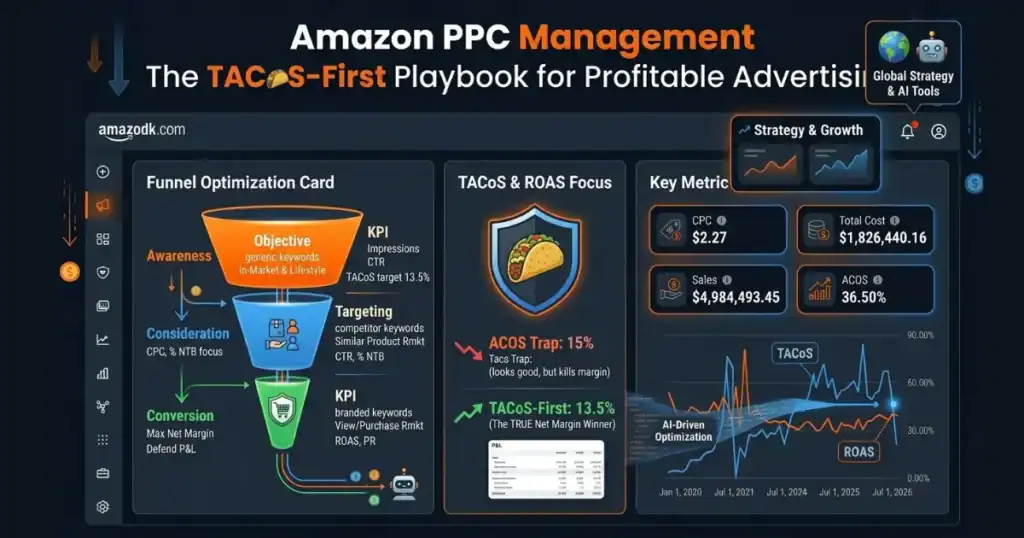
I run PPC for seven brands across the US, UK, and EU. Roughly $5.1M in annual ad spend, 13.5% average TACoS across the portfolio of brands selling in various categories including Beauty and Personal Care, Toys and Games, Female Health, First Aid Support Items, and so on.
Not ACoS. TACoS. Every account I take over gets rebuilt around that number.
Table of Contents
What Is Amazon PPC Management in 2026?
Amazon PPC is Amazon’s second-price auction. You bid on keywords and product targets, Amazon places sponsored placements across SERPs and PDPs, and you pay when a shopper clicks. Basic!
But Management is different. Amazon PPC Management is the ongoing work of structuring campaigns by margin tier, harvesting converting search terms out of broad match into exact, cutting negatives on a weekly cadence, adjusting top-of-search modifiers when placement data shifts, and reading Search Query Performance data against organic rank movement to figure out what your paid spend is actually building.
Here’s the trap most sellers fall into: they treat PPC as a traffic tap. Turn it on when sales dip, turn it off when they don’t. That’s not management, that’s panic budgeting. A properly managed account uses paid conversions to buy organic rank, then uses organic rank to reduce paid dependency, then reinvests the freed budget into discovery campaigns that find the next converter. Every profitable click today is compounding capital toward a lower TACoS next quarter.
That’s the flywheel. It only exists in accounts where someone is actually running the loop.
New to PPC? Start with what Amazon PPC is and the two goals it serves.
The Five Amazon Ad Types in 2026
Every Amazon search kicks off a real-time auction. Amazon weighs every active bid against a relevance score built from listing quality and 30-day conversion history, then decides which ads to serve and where. Highest bid doesn’t win by default. A listing with a 12% conversion rate and tight keyword-to-title match will outrank a $2 bid from a listing sitting at 4% CVR.
The auction assigns placements across three zones: top-of-search (highest cost, highest CVR, roughly 3-5x the rest-of-search rate for most categories), rest-of-search (mid-page, cheaper, decent volume), and product detail page (variable, useful for defensive and conquest campaigns).
Five ad formats compete in that auction. Running only Sponsored Products because it’s the easiest one is why most accounts plateau.
Sponsored Products
The workhorse. Appears in search results and on PDPs, indistinguishable from organic listings at a glance. Delivers 60-75% of ad-attributed revenue in a well-run account, sometimes more if the brand is under-invested in upper-funnel formats.
Three targeting modes now: automatic, manual (exact, phrase, broad, product, category), and Targeting with AI. Auto matches your listing to searches Amazon deems relevant. Manual gives you keyword or ASIN precision. Targeting with AI is different from both, and I’ll cover it in the 2026 changes section because most sellers are conflating it with auto and burning budget as a result.
Multi-clip video is now live on Sponsored Products. Up to five video assets per ASIN in a single ad unit. Amazon reported a 9% CTR lift versus image-only. I’ve tested it on three brands in the portfolio. The lift is real but only when the videos are shot for the format (short, punchy, feature-per-clip). Repurposed Sponsored Brands video content underperforms.
Sponsored Brands
Top-of-search real estate. Logo, headline, product carousel. Sits above organic results. Requires Brand Registry.
Two 2026 changes worth flagging up front. Multi-headline banners are gone. One headline per ad, which means creative testing has to happen across separate campaigns instead of inside one. Slower, but the data is cleaner because you’re not splitting impressions across variations inside a single unit.
The bigger change is Automatic Collection Type. Sponsored Brands product collections now let Amazon pick which products go in the ad based on keyword targets and shopper queries. Manual still exists (and it’s still my default for brand-defense campaigns), but Automatic will pull in high-converting complementary ASINs you wouldn’t have grouped yourself. I use it mostly on discovery campaigns for brands with 40+ SKUs, where the manual work of testing every product combination isn’t worth the analyst time. On tight catalogs under 20 ASINs, Manual wins because you already know your hero products.
Sponsored Brands video is not optional if you’re serious about owning top-of-search. Autoplays, consistently pulls 2-3x the CTR of static Sponsored Brands, and the CPC premium is usually worth it in high-consideration categories.
Sponsored Display
Audience-based, not keyword-based. Retarget shoppers who viewed your PDP without buying (default retargeting window is 30 days, extend to 90 when volume allows). Defensive placements on competitor PDPs. Off-Amazon inventory via IAB display network.
Underused format. Most accounts I audit are running less than 5% of budget through Sponsored Display when 12-15% would be optimal. The retargeting ROAS is usually the highest in the account and nobody’s paying attention because the volume is low. Fix that.
Streaming TV (formerly Sponsored TV)
Same product, rebranded in 2025. Runs on Prime Video and Fire TV. Brand Registry required, no minimum spend.
Upper-funnel. Doesn’t close sales directly, and if you’re measuring it on last-click ACoS you’ll conclude it doesn’t work and turn it off. That’s a mistake. Measure Streaming TV through Amazon Marketing Cloud attribution or the new Multi-Touch Attribution beta. In one intimate care brand I manage, MTA showed Streaming TV was contributing 18% of assisted conversions on a spend that looked like it was returning nothing under standard last-click reporting.
Amazon DSP
Programmatic. Reaches audiences across Amazon-owned properties and third-party inventory. Where lookalike audiences based on first-party purchase data actually live, along with lifestyle audiences and advanced retargeting pools.
DSP used to sit in its own console, which is why most brands under $2M in ad spend ignored it. As of November 2025, DSP and Sponsored Ads share the Unified Campaign Manager. The friction is gone. If you’re spending $30K+/month on Sponsored Ads and haven’t touched DSP, you’re leaving audience reach on the table.
The 2026 Amazon PPC Changes You Need to Know About
Six changes hit accounts in 2026 that you didn’t opt into. Each one changes cost, placement, matching, or setup.
Sponsored Prompts Became Billable on March 25, 2026
Prompts moved out of free beta on March 25. They’re AI-powered conversational ads that appear in shopping results and on PDPs. Click opens an Alexa for Shopping conversation or answers on the page, pulled from your PDP, Brand Store, and A+ Content.
The Clicks bill under existing CPC bidding, same auction as the parent Sponsored Products or Sponsored Brands campaign. No separate bid. Which means: campaigns that were hitting target ACoS in February started absorbing 3-8% incremental spend in April with no line-item warning. I audited two portfolio accounts in the first week of April and found $1,400 and $3,200 respectively in prompt-driven spend that hadn’t existed 30 days prior.
Auto-enrolled. To opt out: Campaign > Ad Group > Ads > Prompts in the Ads Console. The tab stays empty until a prompt gets clicked, so a blank tab doesn’t mean zero exposure. Audit weekly for the first 60 days after any launch or restructure.
Prompt quality tracks listing quality. Thin PDP content produces thin prompts. If your A+ Content is a screenshot dump instead of structured Q&A modules, your prompts are going to underperform and cost you the same CPC as your best-converting placement.
Alexa for Shopping Replaced Rufus on May 13, 2026
Rufus is dead. Alexa for Shopping took its place on May 13. Existing Sponsored Products and Sponsored Brands campaigns became automatically eligible to serve inside Alexa conversations with zero setup changes.
Here’s what nobody’s flagging: your keyword-targeted campaigns are now competing in a surface where nobody typed a keyword. Shoppers ask “what magnesium works best for sleep and doesn’t cause morning grogginess” in a full sentence, and Amazon has to decide whether your ad answers that question. Bid still matters. Listing content matters just as much now. The two used to be separate workstreams. They’re not anymore.
Product Titles Dropped to 75 Characters on July 27, 2026
Amazon cut the product title from 200 characters to 75 on July 27, every category except media. A new 125-character Item Highlights field carries what fell out.
Title is still the most heavily weighted text field in Amazon’s search algorithm. You just lost 125 characters of keyword real estate. Campaign relevance, prompt generation, and organic ranking all pull from that field.
Amazon is rolling out AI-generated title rewrites gradually. Which means you have a window to do it yourself before Amazon does it for you, and the rewrites Amazon generates are optimized for their search algorithm, not for your CVR. Audit your top 20 advertised ASINs first. Rewrite them yourself. Move the keyword coverage you lost into the Item Highlights field, and structure the title around the primary use case with one hero keyword.
Example from a pet brand I manage. Old title: “Premium Grain-Free Dog Food for Small Breeds with Real Chicken and Sweet Potato, 12 lb Bag, Made in USA, No Artificial Preservatives.” (147 characters, over limit.) New title: “Grain-Free Small Breed Dog Food, Chicken and Sweet Potato, 12 lb.” (67 characters, in limit, primary keyword front-loaded, use case clear.) Everything else migrated to Item Highlights.
Sponsored Brands Dropped the Multi-Headline Banner Format
Multi-headline is gone. One headline per Sponsored Brands ad, period. Testing multiple hooks now requires separate campaigns.
Not a huge deal operationally. It slows down creative testing velocity, and it removes a mid-campaign optimization lever some agencies were leaning on. Run one hook per campaign, measure CTR and CVR separately, kill the losers after two weeks of data. That’s the workflow now.
Sponsored Brands Added Automatic Collection Type

New setup mode for Sponsored Brands product collections. Automatic lets Amazon pick the products based on keyword targets and shopper queries. Manual is the old workflow where you pick.
My default is Manual on high-margin brand-defense campaigns because control matters more than convenience. Automatic goes on discovery campaigns for wider catalogs, where I want Amazon’s data to surface which product combinations actually pull clicks. One caveat: Automatic will happily pull low-margin ASINs into your ad if your catalog isn’t segmented cleanly. Watch the first week of data and yank if you see off-strategy products getting served.
Sponsored Products Introduced Targeting with AI
Targeting with AI is a Sponsored Products feature that most sellers are already confusing with auto campaigns. They’re not the same. Neither is the same as Full-Funnel Campaigns at the account level.
Auto matches your listing to searches Amazon considers relevant. Broad, unpredictable, useful for discovery.
Targeting with AI takes your manually seeded keywords or ASINs and expands them using Amazon’s shopper intent modeling. So if you seed “magnesium glycinate” as a keyword, Targeting with AI might also serve on “supplements for sleep quality” or “natural muscle recovery,” even though you didn’t seed those. It’s semantic expansion driven by conversion pattern data, not keyword expansion driven by relevance guessing.
Full-Funnel Campaigns work at the account level, coordinating across Sponsored Products, Sponsored Brands, Sponsored Display, and Streaming TV using natural-language inputs to Amazon’s system.
My rule: Targeting with AI goes on mature campaigns with 90+ days of conversion history, where Amazon has enough data to expand safely. Never on new launches. Never on tight-margin ASINs. Never on brand-defense. And always with an aggressive daily budget cap, because AI expansion will burn through a day’s budget in hours if you let it. I’ve watched a Targeting with AI campaign spend $2,400 in six hours on a brand where the daily budget was supposed to be $400. Cap first, monitor second.
Optimize Your Amazon Listing Before You Spend a Dollar on PPC
The biggest reason PPC fails isn’t bids or match types. It’s launching ads against a listing that can’t convert.
Amazon’s auction rewards relevance. Every ad you run gets scored on how well your listing matches the shopper’s search and how likely they are to buy once they land. A weak listing tells Amazon two things at once: your product isn’t worth ranking, and your ad isn’t worth showing. You pay full CPC to teach the algorithm that.
Before any campaign goes live, the listing has to work for two audiences. Amazon’s algorithm needs keyword coverage in the title, bullets, backend search terms, and A+ Content. The shopper needs a main image that reads at thumbnail size, a title written for humans not algorithms, bullets that answer real objections, and enough visual content to close the buying decision without leaving the page.
Fix the listing first. Then start the campaigns. Anything else is buying clicks that Amazon will use against you.
Amazon PPC Campaign Structure That Actually Scales
Structure determines what you can optimize. Poor structure isn’t a stylistic problem, it’s a data problem. If ten keywords share one ad group, you can’t isolate which keyword is driving conversions or which one is bleeding budget. Every bid adjustment is a guess averaged across the group.
The rules I apply on every account I take over:
Single-keyword ad groups (SKAGs) on your top 10-20 revenue drivers. Not every keyword needs its own ad group. But the ones producing the majority of your revenue absolutely do. SKAGs give you clean CVR data per keyword, precise bid control, and the ability to write ad copy or adjust budget at the individual keyword level.
Match-type separation at the campaign level. Exact, phrase, and broad each get their own campaign. Never mix them in the same campaign. Mixing match types means the same search term can trigger multiple ads at different bids inside your own account. You end up bidding against yourself and inflating your CPCs. I’ve seen accounts where 30% of ad spend was going to internal cannibalization, and the seller had no idea.
Segmentation by margin tier, not category. A 45% margin hero SKU and a 12% margin commodity SKU should not share a campaign. Their profitable ACoS ceilings are different. Group ASINs by margin, then set target ACoS per group. Blended targets serve no one.
Discovery campaigns with capped budgets. Auto and broad match are research pipelines, not revenue drivers. Give them a defined budget (usually 10-15% of total account spend), run them continuously, harvest winning search terms into exact match weekly. Kill any discovery campaign that stops surfacing new converters after 60 days.
Brand-defense campaigns. Competitors bid on your branded terms. If you’re not appearing on your own brand searches at position one, you’re subsidizing a competitor’s acquisition. Brand-defense campaigns typically deliver the lowest ACoS in the entire account (often under 5%). Non-negotiable.

Keyword Strategy: Match Types, Harvesting, and Negatives
Keywords are still the foundation. Even with Sponsored Prompts and Alexa pulling from listings, the campaigns underneath are still keyword-targeted. Structure discipline hasn’t changed. The margin for sloppy keyword management has.
Match type architecture
Exact triggers on the precise keyword. Full control, highest confidence, houses your highest-value converters. Phrase triggers on searches containing your keyword as a sequence with variation around it. Balances reach and control. Broad triggers on searches Amazon considers semantically related, which in practice means everything from tangential matches to complete misfires.
Run each match type in its own campaign. As converters surface in broad and phrase, migrate them into exact match. That migration is keyword harvesting, and it’s the single highest-value ongoing habit in PPC. On a mid-sized account, disciplined weekly harvesting shifts 15-25% of budget from expensive discovery to efficient exact match over a quarter.
Negative keywords
Negatives are the profit lever most sellers underuse. They prevent your ads from showing on searches that won’t convert, protect ad spend from irrelevant clicks, and improve campaign relevance scores.
Weekly cadence, no exceptions. Pull the Search Term Report, identify search terms that have burned 2x your target CPA without a conversion, add them as negative exact at the ad group level. If the same losing search term appears across multiple ad groups, promote it to a campaign-level negative.
Two structural uses beyond the obvious. First, negate exact-match winners from broad and phrase campaigns to prevent internal cannibalization. This is the single fix that recovers the most wasted spend on accounts I inherit. Second, negate branded terms from generic campaigns and house them in dedicated brand-defense. Otherwise your branded queries are competing with your generic bids and skewing everything.
Long-tail keywords
Long-tail queries are longer, more specific, and closer to purchase. A shopper searching “magnesium glycinate 400mg for sleep and muscle recovery” is buying. A shopper searching “magnesium” is browsing. Long-tail terms usually surface first in broad-match discovery, then earn their way into their own exact-match ad groups once conversion is confirmed over 30-45 days of data.
Search Query Performance report
Search Query Performance is the most important diagnostic tool in the Ads Console. Shows impressions, clicks, and purchases at the search term level across both paid and organic. Not the same as the Search Term Report, and more granular.
Use it to diagnose where performance actually breaks. High impressions with low CTR? Main image or creative problem. High CTR with low CVR? Listing or offer problem (price, reviews, images, A+ Content). Low impression share on your highest-converting queries? Bidding or budget constraint. Three different diagnoses, three different fixes, none of them visible in ACoS alone. Sellers who only look at ACoS make the wrong call about half the time.
Bid Optimization: Setting Bids from Your Unit Economics
Every bid traces back to unit economics. Not competitor benchmarks. Not category averages. Your margin, your target ACoS, your expected conversion rate.
Starting from target ACoS
Break-even ACoS = product margin. That’s the ceiling. Target ACoS sits below break-even by whatever profit margin you want to preserve after ad spend.
- Max CPC math:
Max CPC = Target ACoS × Expected CVR × Average Selling PriceExample from an actual campaign: 25% target ACoS, 10% CVR, $40 selling price.
Max CPC = 0.25 × 0.10 × $40 = $1.00 Bids above $1.00 erode profit. Bids well below leave sales and ranking velocity on the table.
Every ASIN gets its own target ACoS. Applying one blended account-wide target is how sellers overspend on low-margin products and underspend on high-margin ones. If your account has 50 ASINs and you’re using one target ACoS across all of them, you’re managing an average, not a portfolio.
Dynamic bids vs fixed bids
Three bidding strategies. My rules for when to use each:
Dynamic bids, down only. Default for new campaigns and any campaign with less than 60 days of conversion history. Amazon reduces bids when it predicts low conversion probability. Conservative, safe, appropriate.
Dynamic bids, up and down. Only on mature campaigns with 90+ days of conversion history and consistent CVR. Amazon can raise bids up to 100% at top-of-search based on conversion probability. Upside is meaningful. Risk is that Amazon can overspend if the conversion history is noisy. Never use up-and-down bidding in the first three months of any campaign.
Fixed bids. Brand-defense campaigns. Anywhere you want zero algorithmic adjustment. Also useful during promotional periods (Prime Day, BFCM) when you want predictable spend behavior.
Automated bidding isn’t bad. Relying on it for new product launches burns budget needlessly, because Amazon doesn’t have the conversion data yet to make good decisions on your behalf.
Placement bid multipliers
Separate lever from base bid. Top-of-search modifier ranges from 0 to 900%. Same range for product pages.
Practical application: pull the Placement Report, look at CVR by placement type for each campaign. If top-of-search is converting at 12% versus rest-of-search at 6%, apply a 50-100% top-of-search modifier to bias impressions toward the higher-converting placement. Don’t do this until you have at least 30 days of placement data. The Placement Report is the report most sellers ignore, and it’s often where the fastest ACoS improvements live.
How bidding strategies and placement adjustments change what you pay is covered in my Amazon CPC guide.
Dayparting
Not a native Amazon feature, but critical for accounts spending over $10K/month. Pull your hour-of-day and day-of-week conversion data from the Sponsored Products campaign reports. Most B2C brands show a 2-3x CVR spread between peak hours (usually 7-10 PM local time) and dead hours (2-5 AM). Bulk-adjust bids down 30-50% during dead hours using automation tools or scheduled bulk uploads. On one intimate care account, dayparting alone cut TACoS from 15.8% to 13.1% over six weeks with zero other structural changes.
TACoS vs ACoS: Why Successful Brands Focus on TACoS-First
Every profitable Amazon brand I’ve seen optimizes around the same metric. TACoS.
ACoS measures ad spend as a percentage of ad-attributed revenue. Useful at the campaign or ad group level for diagnosing efficiency. Tells you nothing about whether the business is healthier this quarter than last.
TACoS measures ad spend as a percentage of total revenue, paid and organic combined. It’s the honest number.
- The math side by side:
ACoS  = (Ad Spend ÷ Ad-Attributed Revenue) × 100
TACoS = (Ad Spend ÷ Total Revenue) × 100
Same numerator, different denominator. That single denominator swap is why one metric can look healthy while the business is broken.
An account running 20% ACoS but 25% TACoS is buying every sale twice. An account running 30% ACoS but 8% TACoS is compounding: paid conversions are feeding organic rank, organic sales are carrying more of the load every month, and ad spend is buying rank velocity, not just clicks.
The number itself matters less than the direction. Across my seven-brand portfolio, average TACoS is 13.5%. The intimate care brand mentioned earlier is at 6.2% and dropping. The pet brand in launch is at 21% and improving month over month. What matters is that the direction is right.
Flat or rising TACoS while ad spend scales is the signal that advertising is buying revenue without building organic momentum. That’s the failure mode most agencies hide behind good-looking ACoS reports. If your TACoS hasn’t moved in two quarters and your ad spend is up, something is broken at the account level, not the campaign level.
Use both metrics. ACoS at the campaign level for optimization decisions. TACoS at the account level for strategic decisions. Skip the second one and you’re managing pieces without managing the account.
The Key Amazon PPC Metrics That Matter
Six metrics do the diagnostic work. Everything else is dashboard noise.
- ACoS (Advertising Cost of Sales). Ad spend divided by ad-attributed revenue.
ACoS = (Ad Spend ÷ Ad-Attributed Revenue) × 10025% ACoS = $0.25 spent for every $1 in ad revenue. Campaign-level diagnostic. Not a business health metric.
- TACoS (Total Advertising Cost of Sales). Ad spend divided by total revenue including organic.
TACoS = (Ad Spend ÷ Total Revenue) × 100Should trend down over time in any healthy account. If TACoS is flat while spend grows, the flywheel isn’t turning.
- ROAS (Return on Ad Spend). The inverse of ACoS.
ROAS = Ad-Attributed Revenue ÷ Ad Spend4x ROAS = $4 revenue per $1 spend. Same information as ACoS, framed for growth conversations instead of cost conversations.
- CTR (Click-Through Rate). Clicks divided by impressions.
CTR = (Clicks ÷ Impressions) × 100Low CTR on high impressions = main image problem or keyword-to-product mismatch. Expensive when it’s low, because you pay for impressions that produce nothing.
- CVR (Conversion Rate). Purchases divided by clicks.
CVR = (Orders ÷ Clicks) × 100Low CVR with strong CTR = listing problem. Price, reviews, images, or content failing to close shoppers who were interested enough to click. No bid change fixes a CVR problem. The listing has to change.
- CPC (Cost Per Click). Total ad spend divided by total clicks.
CPC = Ad Spend ÷ ClicksDiagnostic, not target. Your target CPC is derived from your target ACoS, expected CVR, and average selling price.
- Impression share. The percentage of eligible impressions your ads captured.
Impression Share = (Impressions ÷ Total Eligible Impressions) × 100Low impression share on your highest-converting keywords = bids or budgets constraining visibility where it matters most. Raising bids or budgets on winning terms is often the highest-leverage scaling action available.
The Weekly PPC Optimization Cadence
Accounts that outperform run consistent loops on defined schedules. Accounts that plateau run “when I have time” optimization.

The cadence I run on every account in my portfolio. Nine out of ten underperforming accounts I inherit have the same problem — nobody is doing the weekly loop.
Nine out of ten underperforming accounts I inherit have the same problem: nobody’s doing the weekly review. Fix that first, then worry about anything else.
How to Launch a New Product on Amazon PPC
Launching a new ASIN is a different problem than optimizing an existing one. No conversion history. No organic rank. No baseline data to guide bids.
Most launch strategies get this backwards. They start with auto and broad campaigns to “let Amazon figure it out.” That’s fine advice for someone who has time and cash to burn. It’s terrible advice for anyone trying to launch profitably.
My approach flips the sequence. Prove relevance first. Expand second. Scale third. Every phase has a specific job, and the campaigns in each phase are built to send Amazon the exact signals it needs to move you forward.
Phase 1: Prove Relevance (weeks 1-4)
The goal of Phase 1 isn’t sales volume. It’s telling Amazon your product is relevant to the queries that matter, before Amazon has enough conversion data to figure it out on its own.
Amazon’s algorithm ranks products based on sales velocity for specific search terms. New products have zero history. If you launch with broad targeting, you’re asking Amazon to guess which queries your product is relevant to, and Amazon’s guesses cost you full CPC per click while it learns. Phase 1 removes the guessing.
Five campaigns run in Phase 1, each with a defined job:
Exact-match campaign on long-tail keywords. Start with 15-25 long-tail queries where purchase intent is highest and competition is lowest. A shopper searching “magnesium glycinate 400mg for sleep and muscle recovery” is closer to buying than one searching “magnesium.” Long-tail terms convert faster, cost less per click, and give Amazon the cleanest possible relevance signals for a new product. This campaign is where your first conversions come from.
One or two single-keyword campaigns on your main keyword. Not the whole keyword tier. Just the one or two head terms that define what your product is. A dedicated campaign per head keyword gives you full control over the bid, isolates the data completely, and starts building conversion history on the highest-value terms in your category. Bid aggressively here. You’re buying rank velocity, not efficiency.
Phrase-match campaign on your main keyword. Same head term, phrase match. Job of this campaign is discovery. Phrase match will surface long-tail variations of your main keyword that you didn’t seed in the exact-match campaign. Harvest converters weekly and migrate them into your exact-match structure.
Competitor ASIN targeting campaign. Target the top 10-20 competitor ASINs in your category using Sponsored Products product targeting. This puts your ad directly on their PDPs, in front of shoppers who are already comparing options in your exact category. Conversion rates on well-chosen competitor targets often beat generic keyword campaigns in launch, because the shopper has already qualified themselves as a category buyer.
Branded keywords campaign. Two functions. First, introduce your new product to any existing audience you have (email list, social following, past customers of your other SKUs). Second, defend against competitors who might bid on your brand name once they notice a new competitor in the category. This campaign typically delivers the lowest ACoS in the account from week one.
Sponsored Brands video for awareness. Optional but recommended if you have Brand Registry. SB video autoplays at top-of-search, drives brand recognition on category-defining head terms, and starts building the association between your brand name and the product’s use case. Don’t judge SB video on last-click ACoS in Phase 1. It’s an awareness play that pays back in Phase 3 when branded search volume starts appearing.
What Phase 1 explicitly does not include: auto campaigns, broad-match campaigns, and Targeting with AI. All three of these send weak signals to Amazon while your product has no conversion history. Save them for Phase 2.
Expect ACoS in Phase 1 to run higher than target, often 60-80% for the first two to three weeks. That’s the cost of proving relevance. If exact match on long-tails is converting and one of your head-term SKAGs is starting to show sales, the phase is working even if ACoS looks ugly on a spreadsheet.
Phase 2: Optimization and Expansion (weeks 4-8)
Phase 2 opens up the discovery aperture. By this point your Phase 1 campaigns have generated enough conversion data that Amazon knows your product is relevant to specific queries. Now you widen the net to find queries you didn’t think to target.
Auto campaigns. Launch two or three auto campaigns segmented by targeting group (close match, loose match, substitutes, complements). Amazon’s automatic targeting works significantly better once your listing has a conversion baseline, because Amazon can lean on that baseline instead of guessing. Give auto campaigns moderate daily budgets ($30-50/day depending on price point) and defined objectives. You’re using them as research tools, not revenue drivers.
Broad-match campaigns. Take your top-performing keywords from Phase 1 exact match and run them again in dedicated broad-match campaigns. Broad will expand into semantic neighbors of your seed terms. Some of those neighbors will convert, some won’t. Harvest the converters into exact-match ad groups. Add the non-converters as negatives.
Aggressive negative keyword management. By week 5-6, your Search Term Reports will contain hundreds of triggered search terms. This is where the weekly negative cadence pays off. Any search term burning 2x your target CPA without converting gets added as a negative exact at the ad group level.
Bid adjustments toward target ACoS. Phase 1 was intentionally over-bidding on the exact-match head terms to buy rank velocity. Phase 2 is where you start pulling bids down toward your target ACoS on campaigns that are converting cleanly. Do this gradually. A 10-15% bid drop, one week of data, another 10-15% if performance holds.
Reduce Phase 1 head-term spend if organic rank is climbing. Check your organic rank on the head terms weekly using a rank tracker. If you’ve moved from unranked to page 2, or page 2 to page 1, start easing off paid spend on those terms and let organic carry more of the load. This is the flywheel starting to spin.
By the end of Phase 2, you should have a clean picture of which queries convert, which don’t, which placements work best, and where you have room to scale.
Phase 3: Expansion and Rank Building (weeks 8+)
Phase 3 is where you push for organic ranking on your best-performing keywords and expand into adjacent formats. You’ve proven relevance in Phase 1, expanded coverage and cleaned up waste in Phase 2, and now you’re building the actual rank position that reduces long-term paid dependency.
Push for organic rank on best-performing exact-match keywords. Take the top 5-10 exact-match campaigns from Phase 2 that showed the strongest CVR and lowest ACoS. Increase daily budget on these campaigns and hold bids at competitive levels for top-of-search placement. The goal is to concentrate sales velocity on a narrow set of queries where you have the best chance of moving organic rank from page 2 or 3 to page 1. Once you hit page 1 on a query, organic sales start compounding paid sales, and your TACoS on that query starts dropping.
Phrase match on new head terms to find more relevant search terms. By Phase 3 you’ll have identified adjacent keyword tiers you didn’t launch on. Add phrase-match campaigns for each new head term. Use them the same way you used the Phase 1 phrase-match campaign, to surface long-tail variations you can harvest into exact match. This is how you build a keyword portfolio that grows over time instead of stalling at your Phase 1 seed list.
Sponsored Brands testing. If you launched SB video in Phase 1 and it’s shown positive impact on branded search volume, expand into Sponsored Brands product collections. Test one collection at a time. Use the new Automatic Collection Type on your discovery campaigns and Manual on brand-defense.
Sponsored Display testing. By Phase 3, you’ll have enough PDP traffic that Sponsored Display retargeting becomes viable. Start with the default 30-day retargeting window on shoppers who viewed your PDP without buying. Extend to 60 or 90 days as volume allows. SD retargeting often delivers the lowest ACoS in the account, but it needs traffic volume to work, which is why it’s Phase 3, not Phase 1.
Ease off Phase 1 competitor ASIN targeting if organic rank is holding. Competitor ASIN campaigns were relevance builders in Phase 1. In Phase 3, if you’re ranking organically for the head terms, some competitor ASIN campaigns become redundant. Audit them, keep the ones still converting, cut the ones that are just adding cost.
Do not enable Targeting with AI or Full-Funnel Campaigns until Phase 3 at the earliest, and only on campaigns with 90+ days of clean conversion history. Both features need mature data to work well, and neither will save a launch that hasn’t proven relevance yet.
Don’t Scale PPC on Products That Will Go Out of Stock
Fastest way to destroy an Amazon account: scale ad spend on an ASIN that’s about to go OOS. Happens more often than most sellers admit.
Amazon’s ranking algorithm treats stockouts as a reliability signal. Out of stock = product isn’t dependable = organic rank drops. Meanwhile your ads keep spending, shoppers click, find nothing (or an out-of-stock notice), and bounce to a competitor. You lose the sale, the ranking, and pay full CPC anyway. Then when inventory returns, you’re rebuilding rank from a lower position while continuing to spend on ads.
Three checks before scaling any campaign. Is inventory healthy enough to support 30-60 days at the new spend level? Is the reorder placed and confirmed with lead times factored in? Is there an alert set up to auto-pause ads if inventory drops below a safe threshold (I use 21 days of cover as the trigger point)?
Inventory planning belongs in the PPC workflow. Not a separate operational function that reviews the account monthly and hopes nothing broke. The best-managed ad account in the world can’t outrun a stockout.
PPC + AI Discovery: What Alexa for Shopping Changes About Campaign Management
The Rufus-to-Alexa transition is being treated as a rebrand by every article I’ve read on it. It’s not. It changes how your ads serve, how they’re scored for relevance, and what your listing has to do to compete.
When a shopper asks Alexa “what’s the best magnesium supplement for sleep without morning grogginess,” Amazon’s assistant pulls a response from your PDP, A+ Content, and Brand Store. Your keyword-targeted campaign is still the vehicle that puts you in the running for that query. Whether Alexa actually quotes you depends on whether your listing answers the question in a format Alexa can extract.
Three practical changes to how I audit listings for PPC in 2026:
Product title. 75-character cap. Should carry the primary use case, not just the primary keyword. “Magnesium Glycinate 400mg for Sleep and Muscle Recovery” beats “Magnesium Glycinate Supplement 400mg Capsules Non-GMO.”
Item Highlights. The new 125-character field. Use it to cover the top three reasons a shopper picks your product over the alternatives. Not features. Reasons.
A+ Content Q&A modules. Structure at least one A+ module as a Q&A that reads like a voice query. “How long does it take to feel the effects?” beats “Product benefits and results.”
The listing is now part of the ad auction. Manage it like it is.
Managing PPC In-House vs Agency vs Consultant
Every Amazon brand hits a point where DIY PPC stops scaling. What comes next has three real options, not two, and the right one depends on what you need covered.
In-house works when you bring a PPC expert into the team to own the operations. The expert runs the account day to day, owns the full ads strategy alongside deals and promos, works with the pricing and catalog teams on price changes and creative tests, knows your COGs and inventory, and reports on TACoS and P&L rather than ad sales alone.
Agencies fit when you need one vendor for PPC, listings, creative and inventory, and there is no internal team to run those pieces.
Consultants fit when your team runs the account and needs outside direction. A consultant reviews the setup, finds what is holding growth back and recommends the strategy, while your team carries out the changes.
Pick based on what you need. If you need everything run by one vendor, hire an agency. If you want someone inside the business who owns PPC operations, hire an in-house expert. If your team can run the account and needs direction, bring in a consultant. How an agency and an in-house expert differ day to day, and what each costs, is covered in Amazon PPC agency vs an in-house expert.
Frequently Asked Questions
-
What is a good ACoS on Amazon?
Depends on your product margin. A brand with 40% margins can profitably run 35% ACoS. A brand with 20% margins cannot. Target ACoS is a function of unit economics, not a category benchmark.
-
What is a good TACoS on Amazon?
Varies by category and growth stage. A scaling account should show TACoS trending down over time as organic rank improves. Portfolio average across my seven brands is 13.5%. Established brands with strong organic can run under 10%. Newer brands investing in growth often sit at 20-25% and improve from there.
-
What’s the difference between ACoS and TACoS?
ACoS measures ad spend against ad-attributed revenue only. TACoS measures ad spend against total revenue including organic. TACoS is the honest measure of whether advertising is compounding or just buying revenue.
-
How much should I spend on Amazon PPC?
No universal answer. Calculate max spend per sale while remaining profitable, identify your expected CVR, set a maximum CPC. Start conservative, gather data, scale spend only on campaigns showing conversion efficiency.
-
How long does it take to see results from Amazon PPC?
Initial signals emerge in 7-14 days on campaigns with sufficient traffic. Stable optimization decisions need 4-6 weeks of data. Organic rank improvement driven by paid conversion velocity takes 8-12 weeks of consistent performance.
-
Do I need Brand Registry to run Amazon ads?
Sponsored Products work for any seller with an active listing. Sponsored Brands, Sponsored Brands Video, Sponsored Display, and Brand Store advertising require Brand Registry enrollment.
-
Should I use automatic or manual campaigns?
Both, with defined purposes. Auto campaigns work as discovery, surfacing search terms you wouldn’t have identified manually. Manual campaigns, especially exact match, drive revenue with precise bid control. Run concurrently with a disciplined harvesting process from auto to manual.
-
What are Amazon Sponsored Prompts?
AI-powered conversational ads on shopping results and PDPs. Clicks bill under existing CPC bidding. Campaigns are auto-enrolled. Became billable on March 25, 2026.
-
What is Targeting with AI on Amazon Sponsored Products?
A Sponsored Products campaign feature that expands your seeded keywords or ASINs using Amazon’s shopper intent modeling. Different from auto campaigns, different from Full-Funnel Campaigns. Best on mature campaigns with 90+ days of conversion history. Cap daily budgets aggressively when enabling.
-
What does an Amazon PPC consultant cost?
Varies with portfolio scope and ad spend under management. Fixed-fee monthly retainers, percentage-of-ad-spend models, and performance-based structures all exist. Expect to pay for expertise and attention, not for hours.
How I Manage Amazon PPC for Six-to-Seven Figure Brands
Seven brands across US, UK, and EU. $5.1M annual ad spend. 13.5% average TACoS. Categories span intimate care, pet, women’s accessories, and personal care.
Two case studies on this site show the approach applied.
First is an intimate care brand where I restructured PPC from 20.56% TACoS down to 13.34%. Monthly sales went from $57K to a $112K peak. Restructure focused on match-type separation at the campaign level, single-keyword ad groups for the top revenue drivers, disciplined negative keyword management, and top-of-search modifier adjustments backed by Placement Report data. No new ad spend. Same budget, better allocation.
Second is a bags brand where the account grew roughly 220% between December 2021 and August 2022. Combined listing optimization, PPC restructure, and inventory planning coordinated as one workflow instead of three separate projects.
Both cases share a pattern. Fix the listing so it can convert. Restructure the account so bids can be set with precision. Manage TACoS as the strategic metric, ACoS as the diagnostic one. Run the weekly cadence without exceptions. Nothing exotic. Nothing algorithmic. Just discipline applied to the right levers.
If your ACoS is climbing and your TACoS isn’t trending down while ad spend grows, you don’t have a campaign problem. You have an account problem. Nothing at the bid or keyword level is going to fix it.